Booking chart
The calendar that runs the front desk
A drag-and-drop timeline of every room and every night. Categories collapse, rooms block, ranges select and walk-ins book — the whole property on one screen, colour-coded by channel.
The front desk runs from one screen — walk-ins, room moves and blocks in seconds.
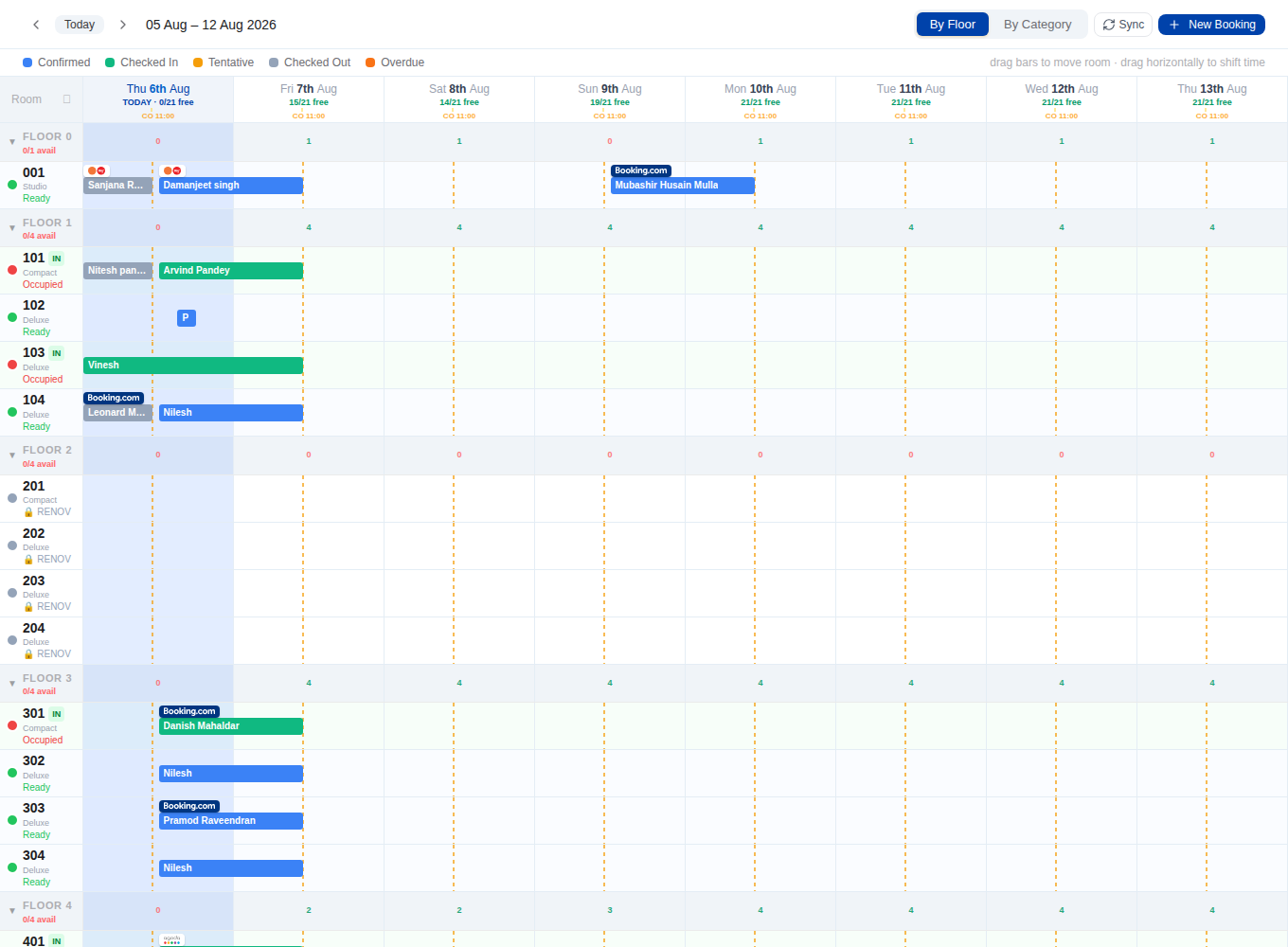
Room categories
Rooms group under their category with a live free-inventory count per day. Collapse a category to a single row, or click the 'Room' header to fold the whole property.
- Per-day free-inventory number on every category header
- Collapse / expand a category — or the whole chart from the 'Room' cell
- Availability is block- and multi-room-aware, so the count is real
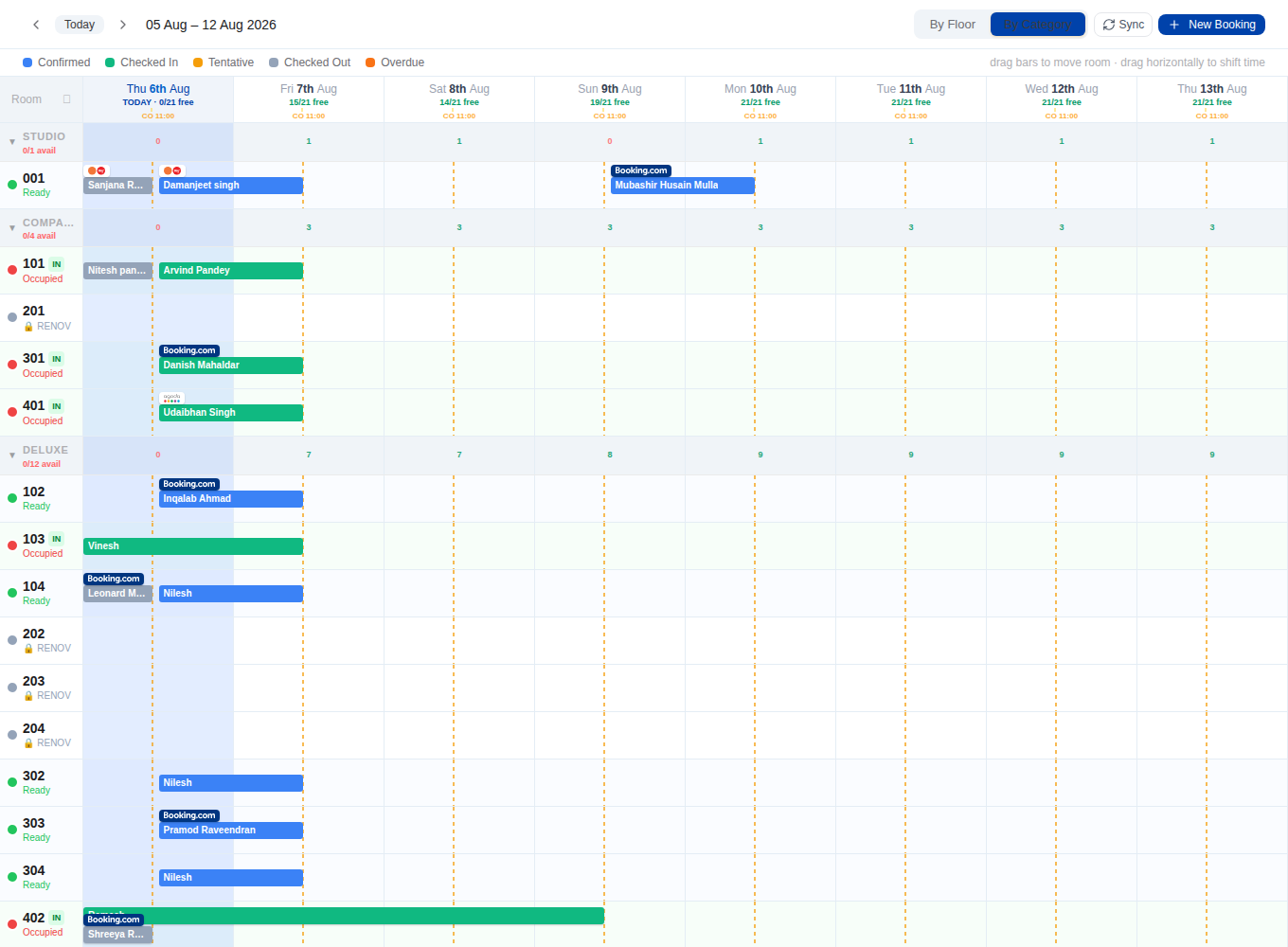
Room blocks
Take a room out of service for a date range — maintenance, owner use, deep-clean — and it's removed from availability and OTA push automatically.
- Date-ranged blocks drawn as bars, separate from bookings & revenue
- Blocked nights drop out of availability and every channel
- Click a block bar to remove it
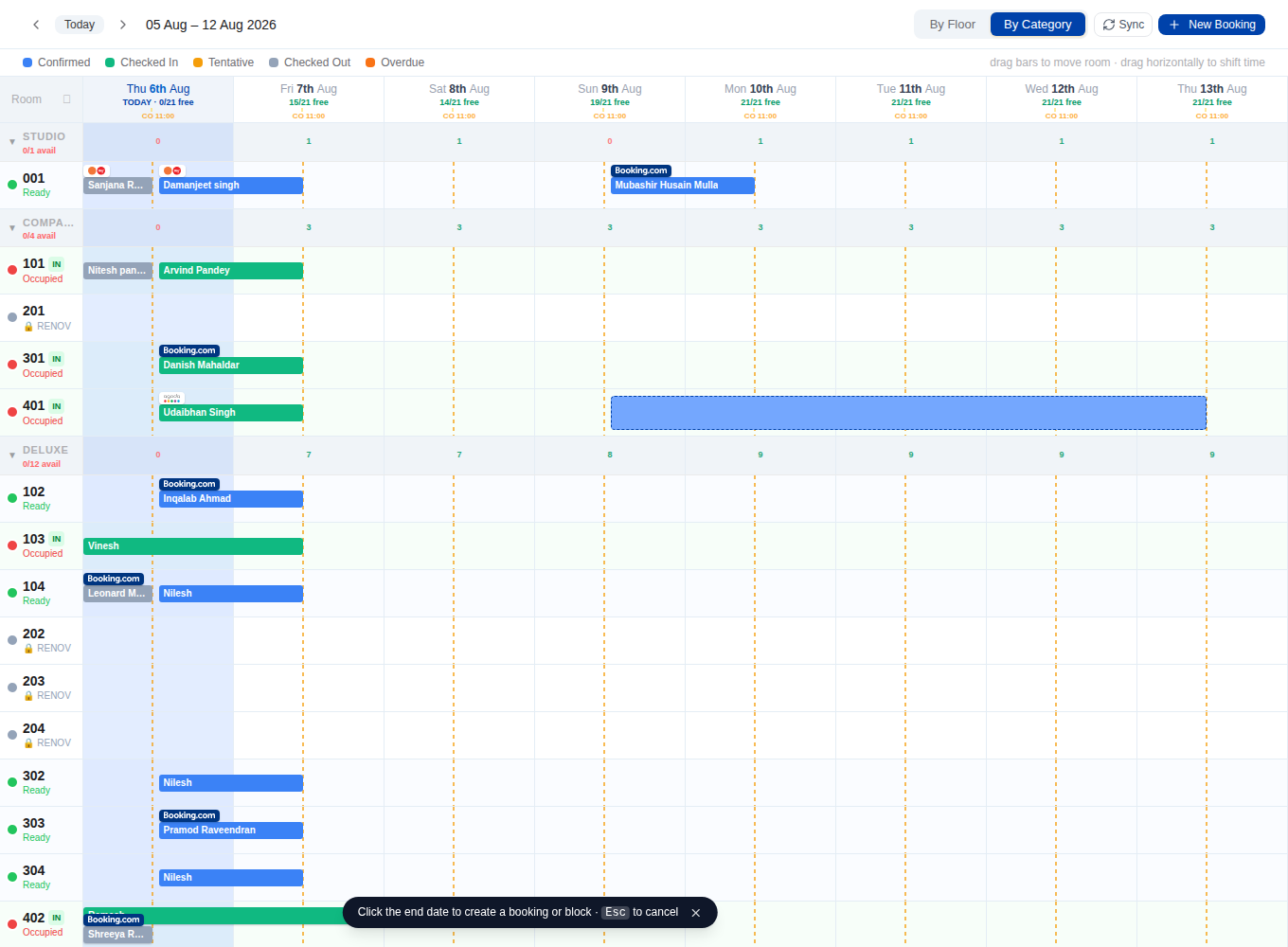
Two-click range selection
Click the first night, click the last, and a clean check-in → check-out preview bar shows the exact stay window — at the property's real times, not a 24-hour cell.
- Click-start, click-end range across any room
- Preview bar drawn at the property's real check-in → check-out times
- Esc to cancel; toggle between Book and Block
Quick book
Turn a selected range into a walk-in booking in seconds — guest, plan, rate and payment — with the property's check-in/checkout applied for you.
- Walk-in & phone bookings without leaving the chart
- Property check-in/checkout times applied automatically
- Rate, meal plan, guest and phone in one compact modal
Drag room-moves
Drag a stay to another room and the specific room of a multi-room folio moves — nights, totals and the primary room stay correct.
- Drag a booking bar to re-room a stay
- Moves the exact room of a multi-room folio, not the whole booking
- Folio totals, nights and primary room preserved
Read your channel mix at a glance
Each booking is colour-coded by where it came from, so a five-second look tells you the story of the house: how much is direct versus OTA, whether you're leaning too hard on one high-commission channel, and where tonight's revenue is really coming from. It's a chart clean and fast enough to run the whole day from — not a spreadsheet you dread opening.
- See direct vs OTA revenue instantly
- Spot over-reliance on a high-commission channel
- One clear view your whole team runs the day from
More of the product

Stop juggling. Start hosting.
Manage bookings and inventory from every source in one software. Your first 3 months are free — no credit card, cancel anytime.
No credit card · Set up in a day · Cancel anytime