The whole product
Run your entire hotel from one screen
Bookings, OTA sync, rates, GST billing and guest messaging — in real time. A booking on any channel blocks the room on every other one in seconds, so overbooking simply stops happening.
One inventory, synced in real time across every channel

 goibibomakemytrip+ any OTA
Using Brevistay or another channel? We connect any OTA within 24 hours — just ask.
Sound familiar?
Running a hotel shouldn’t feel like firefighting
You didn’t open a hotel to live inside spreadsheets and extranets. Here’s what most days quietly cost you.
The 2 a.m. double-booking
Two guests, one room, one furious review — because one extranet didn't get the update in time.
Six tabs for one price change
Update the same rate on Booking.com, Agoda, Expedia, Airbnb, Goibibo and MMT. Miss one and you undersell — or oversell.
GST maths at midnight
Hand-built folios, the wrong tax slab, invoices that don't quite add up when the guest is waiting.
Empty rooms, money left behind
Flat rates all season while the property next door fills up first. No time to think about pricing.
Galaxy replaces all of it with one calm screen.
How it works
One booking’s journey through Galaxy
No nightly batches, no copy-paste between systems. Here’s what happens — automatically — every time a room sells.
- 1
A booking lands on any OTA
A guest books you on Booking.com, Agoda, Expedia, Airbnb, Goibibo or MakeMyTrip — or walks in.
- 2
Galaxy imports it in seconds
The reservation appears on your booking chart automatically, with the guest, dates, rate and channel.
- 3
The room blocks everywhere
Availability updates on every other channel — the same room can't be sold twice.
- 4
The stay runs itself
Check-in, per-room folio, POS charges and a slab-correct GST invoice at checkout.
- 5
The guest comes back
WhatsApp sends the confirmation, check-in details and a 5-star review request — automatically.
Feature by feature
Every screen, in the order you work
Take the booking, keep every channel in sync, price the nights, bill the stay, read the day — then turn the guest into a repeat guest.
Step 1 · Take bookings
Booking chart
A drag-and-drop timeline of every room and every night. Categories collapse, rooms block, ranges select and walk-ins book — the whole property on one screen, colour-coded by channel.
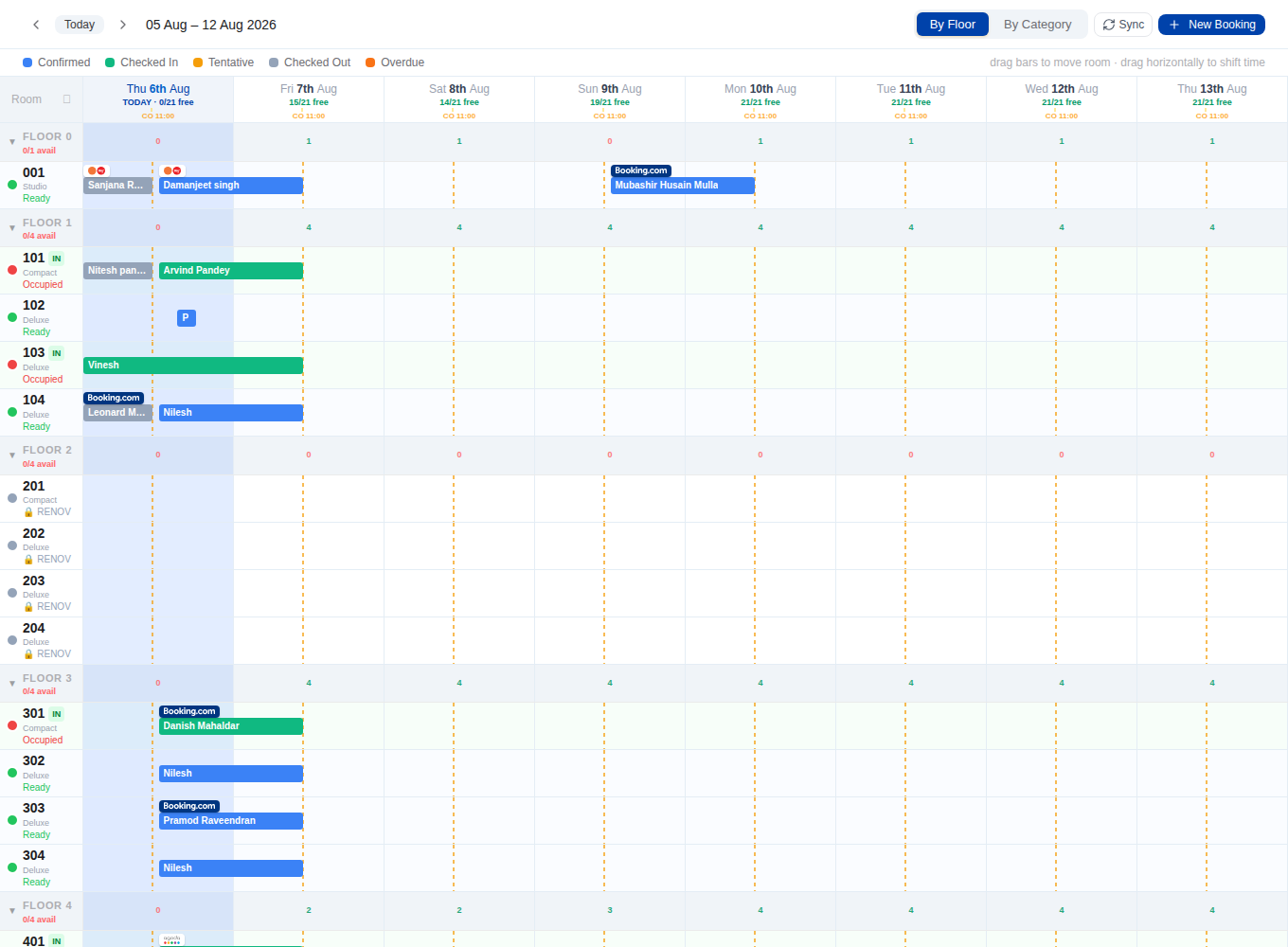
The front desk runs from one screen — walk-ins, room moves and blocks in seconds.
Step 2 · Sync every channel
Channel manager
Set availability and rates once; they reflect on Booking.com, Agoda, Expedia, Airbnb, Goibibo and MakeMyTrip in real time. A booking anywhere blocks everywhere.
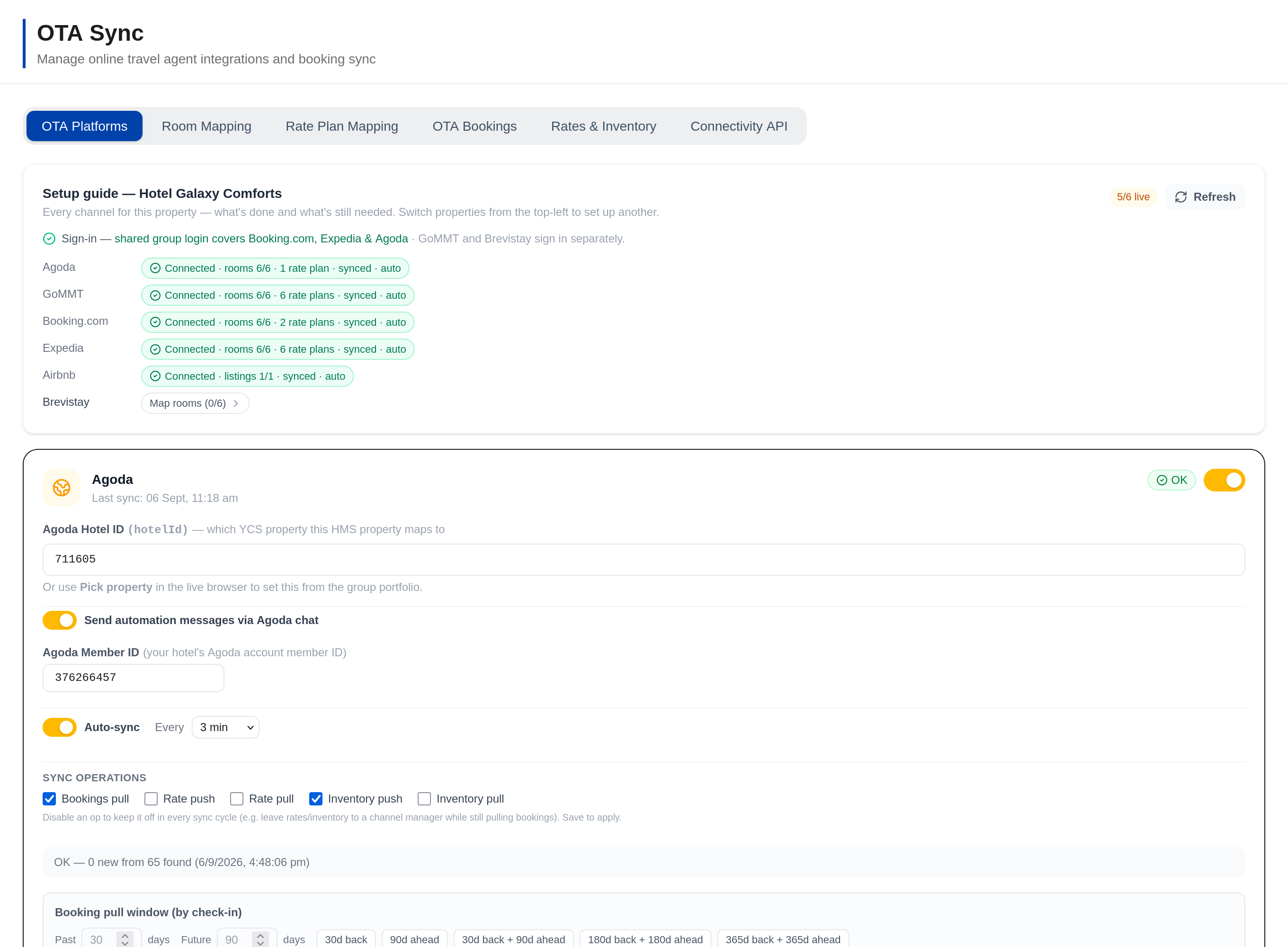
A booking anywhere blocks the room everywhere. Overbooking stops being a risk.
Step 3 · Price every night
Rates & revenue
Season and day-of-week rate plans, per-OTA pricing, meal plans and one-click push to every channel — with occupancy, ADR and RevPAR insight to back it up.
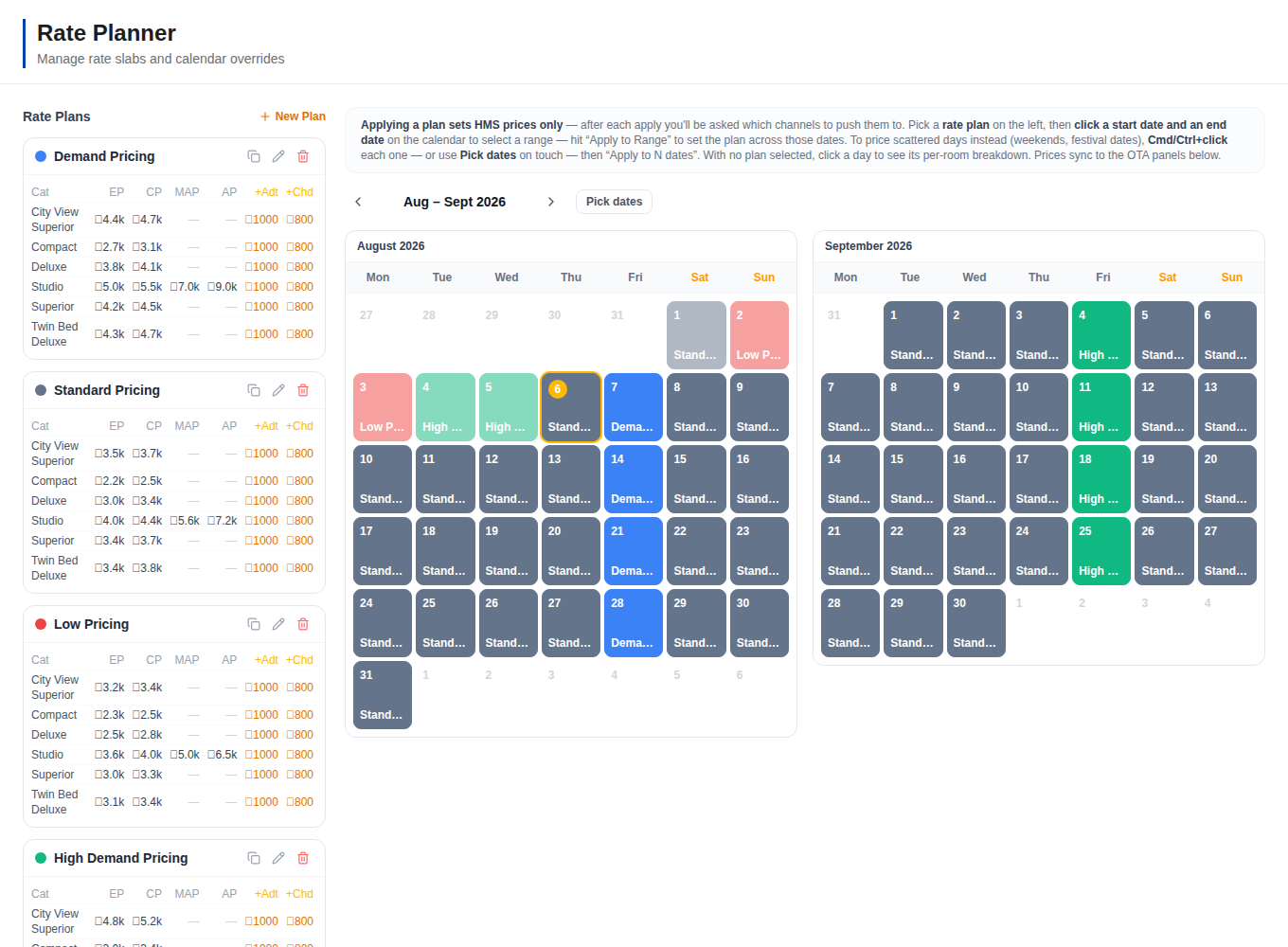
Change a price once and it's live on every channel — no more six-tab updates.
Step 4 · Bill & get paid
Folios & billing
Per-room folios, split and multi-room bills, POS charges, GST-ready invoices and payment tracking — the full guest ledger, correct to the paisa.
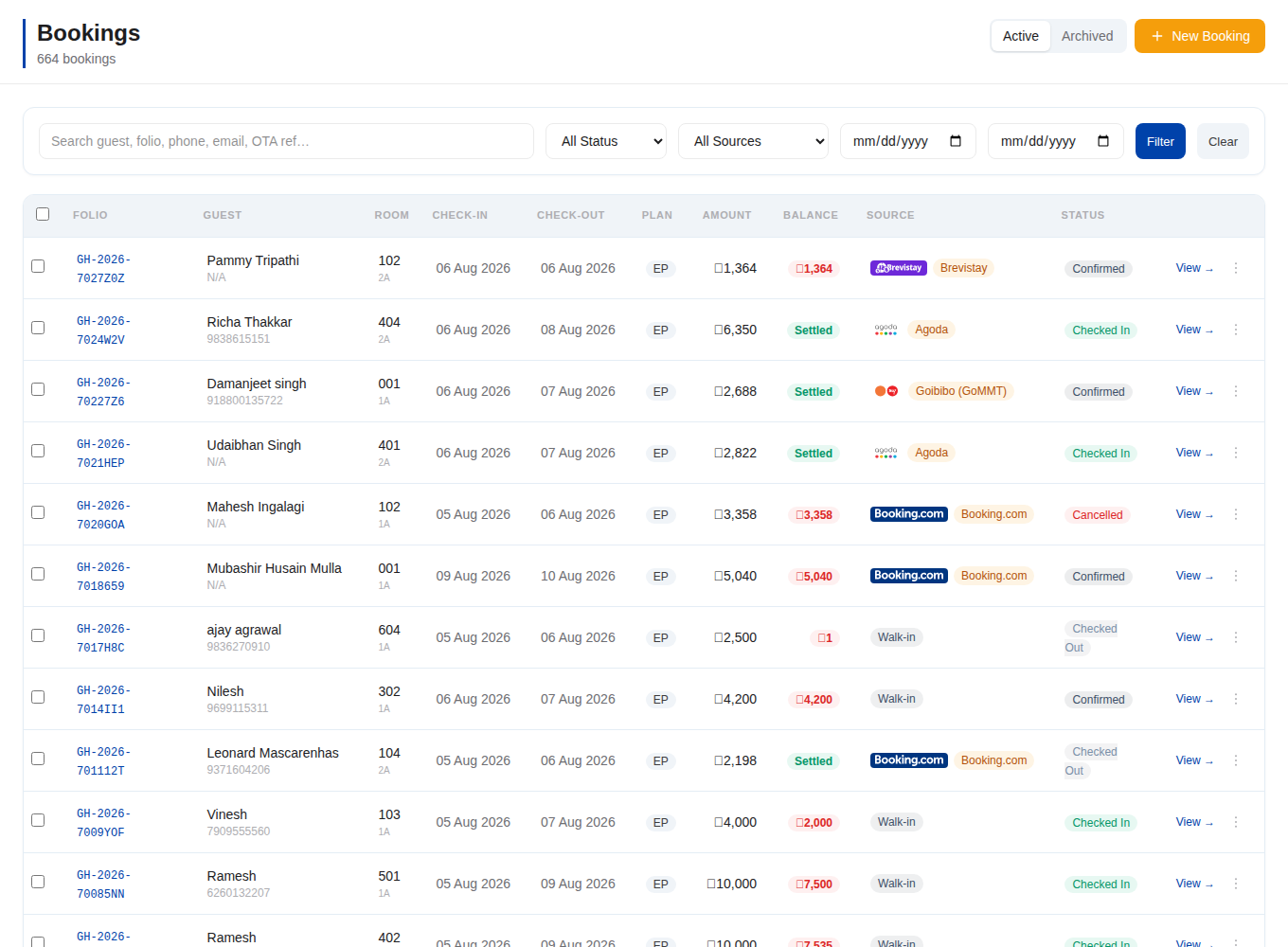
Checkout becomes a print, not a calculation — GST correct to the paisa.
Step 5 · Run the day
Dashboard
The dashboard is mission control — tonight's occupancy, who's arriving, what's owed and what needs cleaning, live the moment a booking lands on any channel.
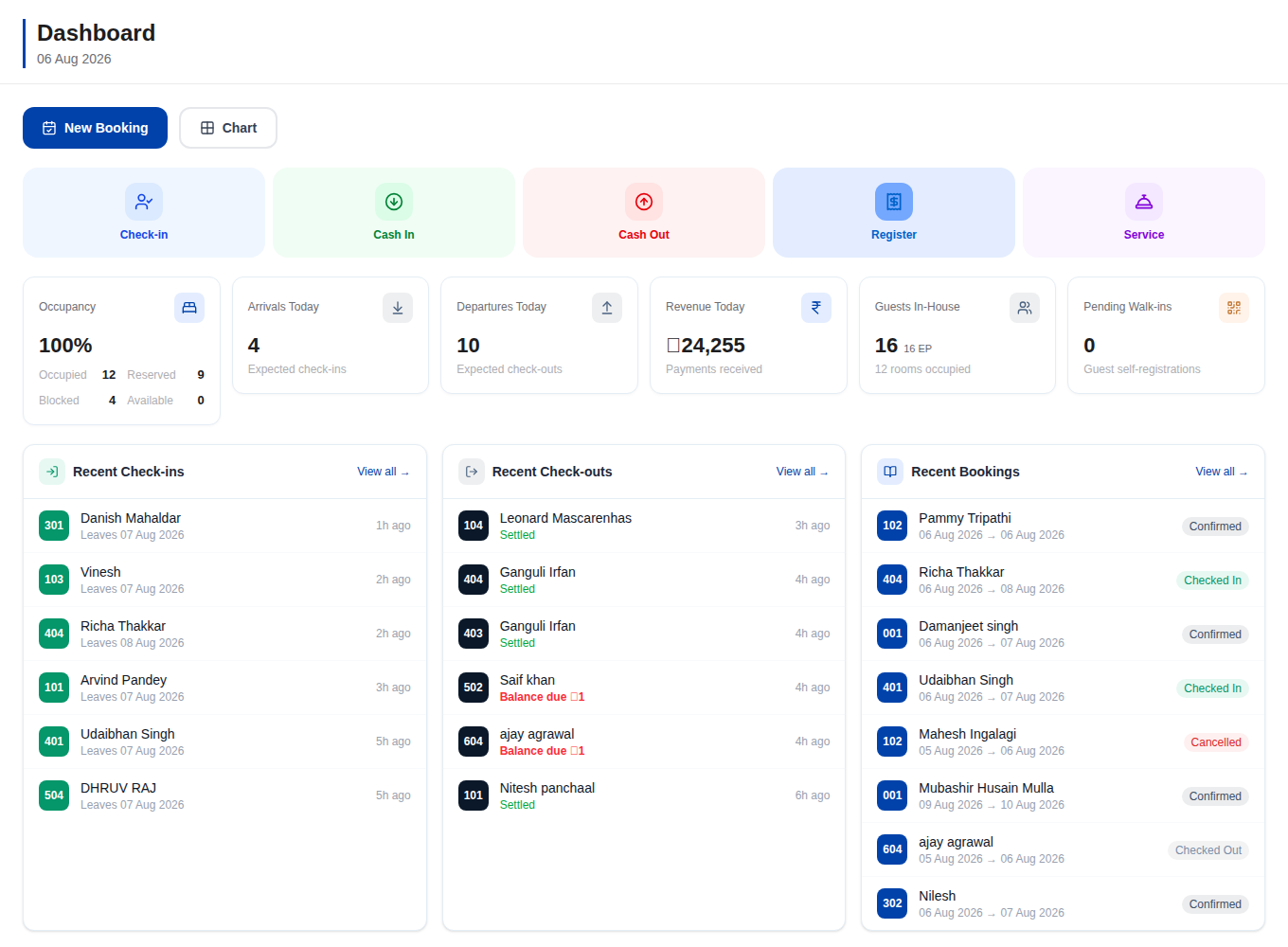
You know your whole day in one glance — before the first phone call.
Step 6 · Grow repeat guests
Guest experience
Automated WhatsApp, digital check-in, review requests and a 5-star reviews wall — plus a fast, SEO-ready booking website for commission-free direct bookings.
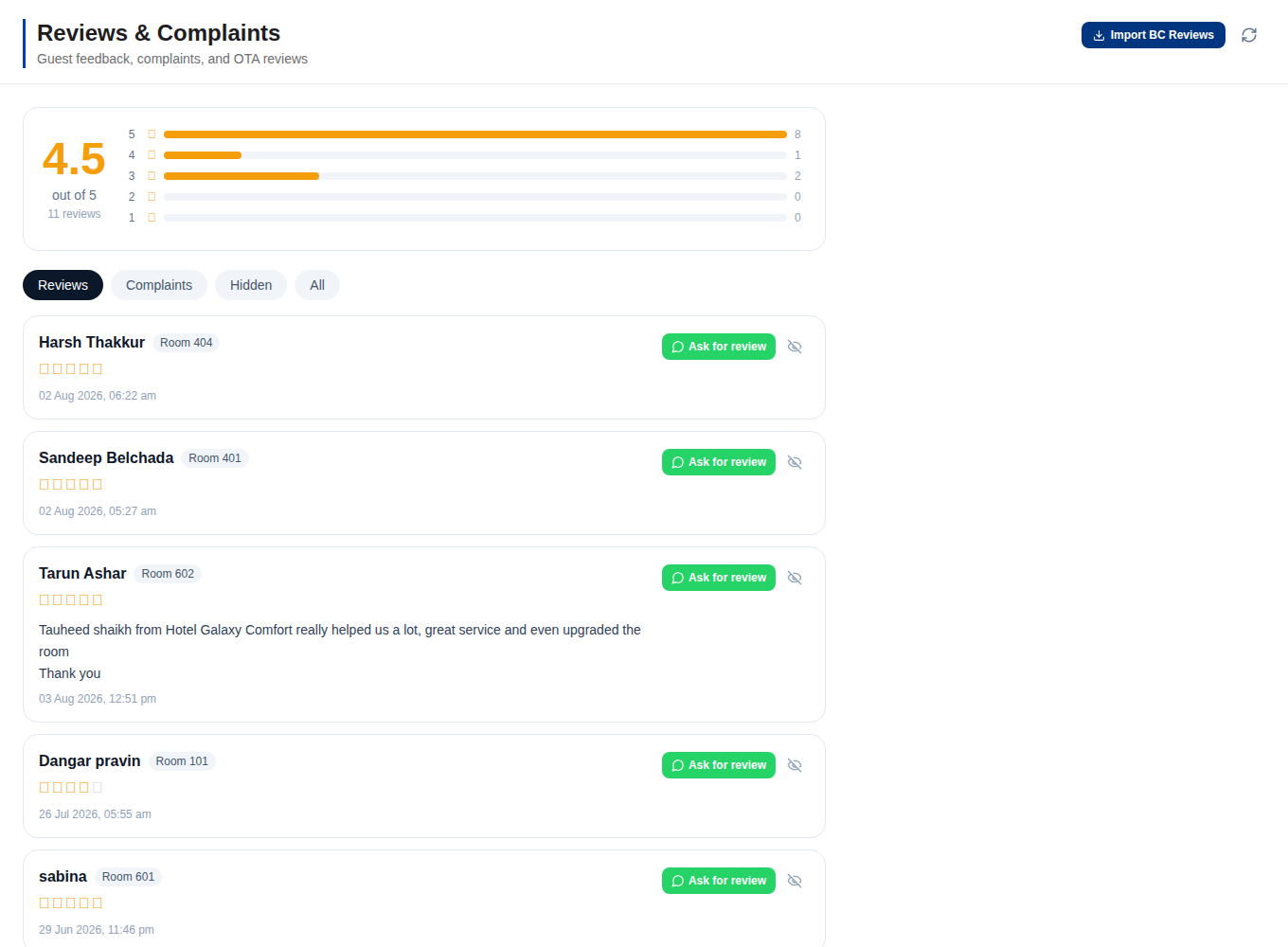
Guests come back — and bring their 5-star reviews with them.
More than operations
Galaxy doesn’t just run your hotel — it fills it
Once every channel shares one inventory, Galaxy goes to work on occupancy: your own commission-free website, coupons and discounts, automated rates, and offers that follow demand — so you protect rate on busy dates and fill the soft ones.
Your own booking website
Every property gets a fast, SEO-ready website that takes direct, commission-free bookings — so guests can book you without an OTA taking its cut, on the same live inventory as every channel.
Booking websiteCoupons & discounts
Run public offers that apply automatically on your site, or private coupon codes for repeat guests and corporates. Percentage or flat, by stay dates, room type or length — and they never stack, so the best single deal always wins.
Promotions & couponsAutomated rates
Season and day-of-week rate plans price every night for you and go live across every channel at once — no six-tab updates, no leaving money on the table when demand moves.
Dynamic pricingOccupancy-based offers
Galaxy watches your forward occupancy and switches deals and offers on automatically when nights are soft — then pulls them back as you fill up, so you discount only the rooms that need selling and protect rate on your strong dates.
Fill more rooms
Your website, done for you
One website that actually stays in sync
Most hotels juggle an OTA account, a website developer, a payments setup and a channel manager — then find the channel manager can’t sync with the custom site, so rooms and rates quietly drift out of date. Galaxy replaces the whole stack: it builds your website for you, on the same system that runs your rooms.
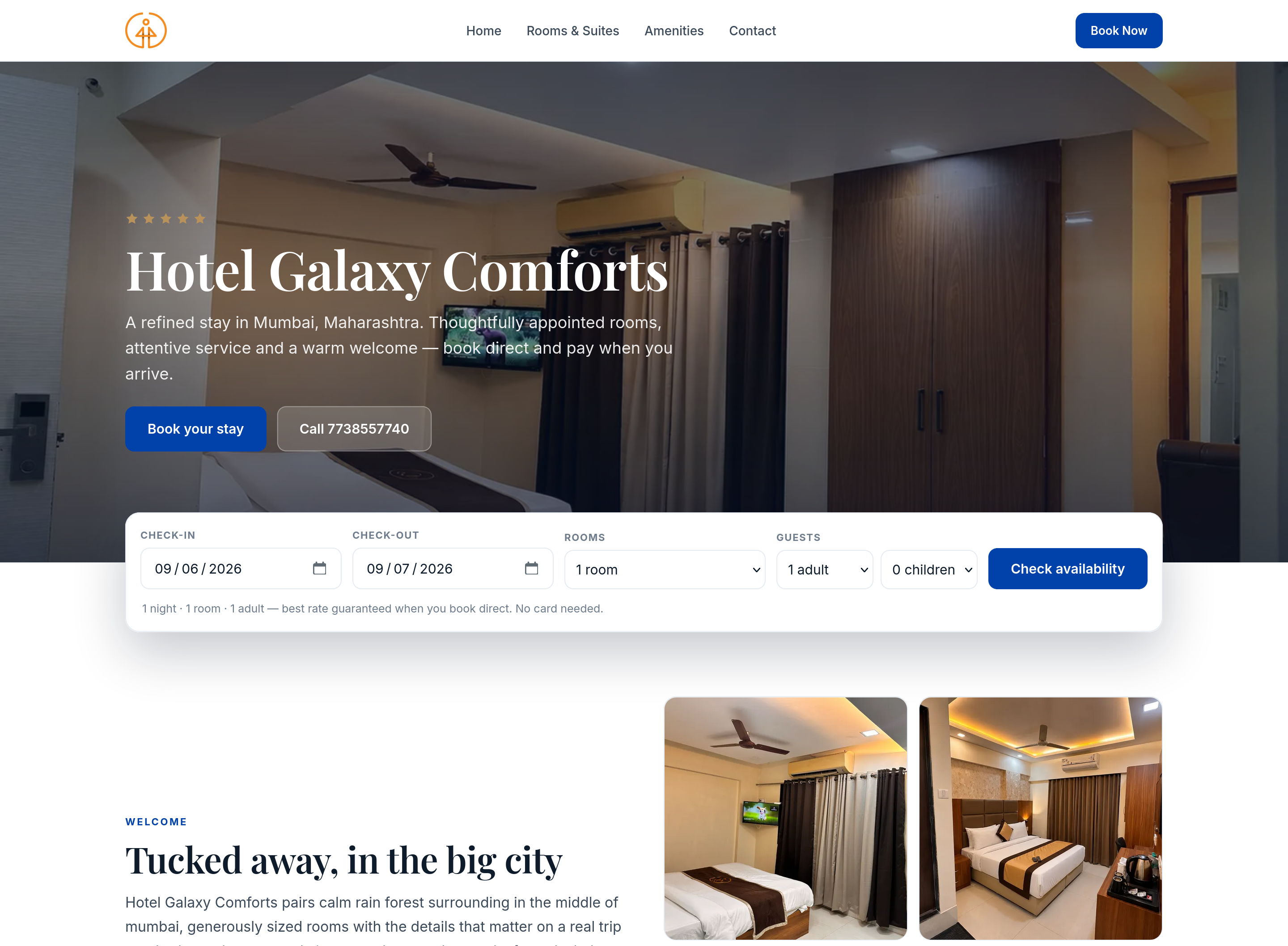
Built for you, on the fly
No web developer, no CMS, no plugins to wire up. The moment your rooms and rates exist in Galaxy, it generates a fast, SEO-ready website for your hotel — and keeps it current by itself.
Branded to your hotel
Your logo, your photos, your words and your own domain — a site that looks like your hotel, not a template with someone else's name on it.
Room photos, always live — import them from your OTAs
Every room photo comes straight from Galaxy, so updating once changes your website and every channel together. Already built your photo library on Goibibo or MakeMyTrip? Import it into Galaxy in a click, instead of re-uploading everything during onboarding.
Never out of sync
Because your website runs on the same live inventory as your front desk and OTAs, availability and prices are always right. The drift you get when a channel manager can't talk to a custom site simply can't happen — and there's no payment gateway to set up: guests reserve in a minute and pay at the hotel.
See your own hotel running on Galaxy — this week
Every screen here is live: Galaxy Comforts, Grace Galaxy and Le Zaina run their bookings, channels and billing on it every night. We’ll set up your rooms, rates and OTAs with you and have you live in a day — keeping the OTA accounts you already have. Your first 3 months are free, no card, cancel anytime.
Why switch
Spreadsheets & six extranet tabs, versus Galaxy
Most independent hotels run on a register, Excel and a browser full of extranet logins. Here’s what each daily job looks like on both sides.
| The job | Register + Excel + extranets | With Galaxy |
|---|---|---|
| Updating a rate | Log in to six extranets and change it six times | Change it once — pushes to every OTA in seconds |
| A booking lands | You find out when you next check the extranet | Imported automatically; room blocked on every other channel |
| Overbooking | One missed update = two guests, one room | One shared inventory — the same room is never sold twice |
| GST invoice | Hand-built in Excel, tax slabs from memory | Slab-correct invoice printed straight from the folio |
| Tonight's picture | In your head, a register and phone calls | Live dashboard — occupancy, arrivals, revenue, housekeeping |
| Guest follow-ups | Manual messages, when there's time | WhatsApp confirmations, check-in details and review requests, automatic |
| Empty nights | Drop the OTA price and hope — and pay commission on every room | Direct-booking website, coupons and offers that auto-switch on by occupancy |
Plain answers
HMS, PMS, channel manager — in plain words
What is a hotel management system (HMS)?
A hotel management system is one software that runs a hotel's daily operations — reservations, the front desk, housekeeping, billing and reporting — so nothing lives in separate registers or spreadsheets.
Hotel management system guideWhat is a channel manager?
A channel manager keeps one shared room inventory across every OTA. When a room sells anywhere — Booking.com, Agoda, Expedia, Airbnb, Goibibo, MakeMyTrip or your own desk — it updates availability everywhere, which is what prevents double bookings.
Channel manager guideWhat is a property management system (PMS)?
A PMS is the front-desk core of hotel software: the booking calendar, guest profiles, check-in/check-out and folios. Galaxy bundles the PMS, channel manager and billing into one screen instead of three products.
Property management system guideFAQ
Questions hotel owners ask before switching
How long does setup take?
Most properties are live in a day. You tell us your rooms and channels, and our team does the OTA mapping with you — you're never left to figure out extranets alone.
Which OTAs does Galaxy sync with?
Booking.com, Agoda, Expedia, Airbnb, Goibibo and MakeMyTrip — two-way. Bookings pull in automatically, and availability and rates push out in seconds. Walk-ins and direct bookings share the same inventory, so every channel always sees the truth.
What does Galaxy cost?
Your first 3 months are completely free — no credit card, cancel anytime. After that it's simple monthly pricing based on your property; talk to us for a quote.
Does it handle GST billing?
Yes. Folios apply the correct GST slab by charge type — rooms, F&B and services — and print clean, GST-ready invoices at checkout.
Do I keep my existing OTA accounts?
Yes. Galaxy connects to the OTA accounts and contracts you already have. Your listings, reviews and rankings stay yours.
Do I need to install anything?
No. Galaxy runs in the browser on any laptop, tablet or phone — the front desk, housekeeping and the owner all see the same live picture, from anywhere.
Can Galaxy help me fill more rooms?
Yes. Beyond running the front desk, Galaxy gives you a commission-free booking website, coupons and public offers, automated season and day-of-week rates, and offers that switch on automatically when your forward occupancy is low — so you fill the soft nights without discounting the busy ones.

Stop juggling. Start hosting.
Manage bookings and inventory from every source in one software. Your first 3 months are free — no credit card, cancel anytime.
No credit card · Set up in a day · Cancel anytime